


This website contains age-restricted products. You must be 21 years of age or older to enter.
Additional age verification may be required at purchase or delivery. Privacy policy
 WARNING: This product can expose you to chemicals including nicotine, which is known to the State of California to cause cancer. For more information, go to www.P65Warnings.ca.gov
Bulk up your clouds with the extra thick power of the Wulf Mods Orbit 2.0 Concentrate Vaporizer! The Wulf Orbit 2.0 is one chonky wax pen to rule them all thanks to its high powered 1,400mAh battery, coil-less quartz cup, and incremental voltage control (2.5 - 4.0v) delivering a master class in concentrate vaporization. With flavorful dabs and intense potency, this pocket sized heavy hitter covers all your bases in one easily accessible package.
Wulf Orbit 2.0 convenience continues with its guided Auto-Mode first pre-heating your concentrates for 15s before entering into a lengthy session period where you can rip clouds for 30s straight. This makes for easy dabs whether you're on the couch or on the go, as your Orbit 2.0 does all of the heavy lifting for you.
Visually the Wulf Orbit 2.0 delivers second generation excellence with a gorgeous all glass dome, ceramic mouthpiece, and choice of 5 full-bodied colors resulting in a sublime concentrate vape with its own unique look. Add in the ergonomic thickness of its body, to make the Wulf Orbit 2.0 a significant upgrade over standard wax pens, all with an affordable price of course.
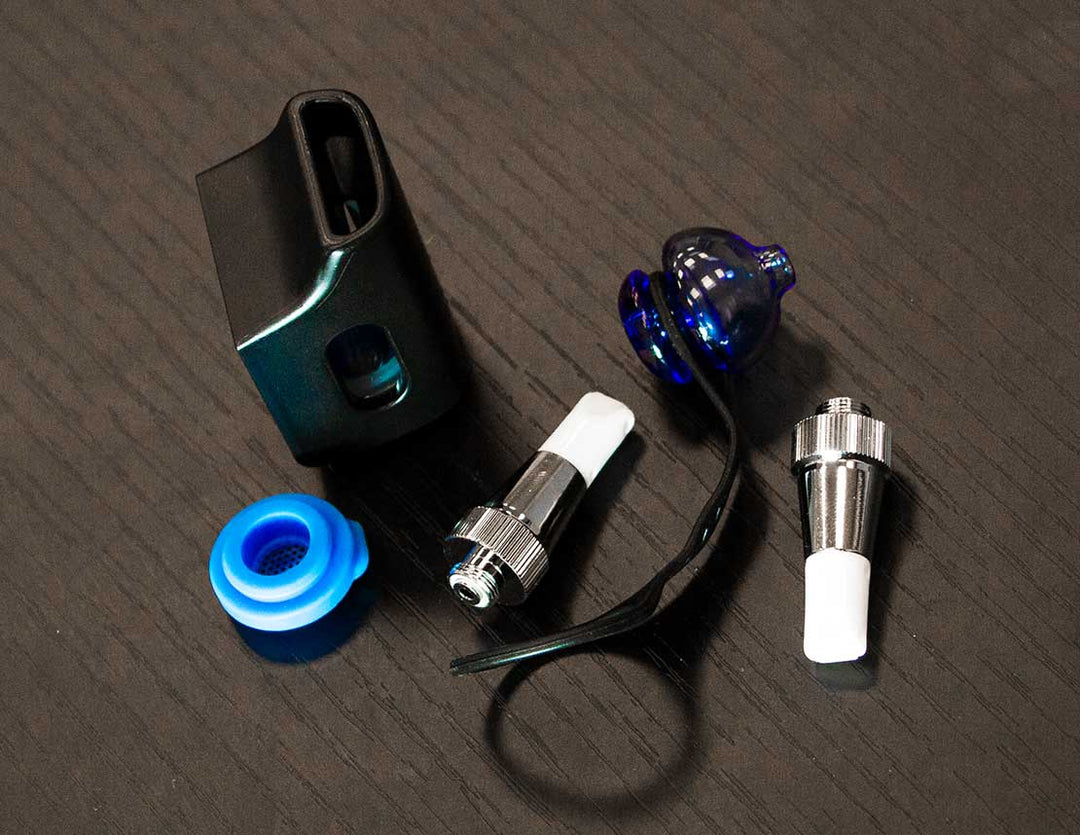
The Wulf Orbit 2.0 Concentrate Vaporizer is available for your session enjoyment now and comes accessory complete with everything you need including a dedicated charger, dab tool, set of q-tips, and extra terp balls.
In order to load concentrate into your Wulf Orbit 2.0 you must first carefully remove the glass dome covering your quartz cup and place it to the side.
With your quartz cup now accessible, you can use either a hot knife or dab tool to carefully place your desired amount of concentrate. We recommend around the size of a grain of rice in order to produce the best heating and vapor.
Once loaded, you can replace the glass dome on top of your Wulf Orbit 2.0. Make sure that the connection is snug and then proceed to the next step.
In order to load the quartz terp balls with your Wulf Orbit 2.0 all you have to do is load them the same way you would your concentrate materials. To do so gently remove the glass dome and carefully place a pair of quartz terp balls into the bottom of the chamber.
We recommend doing so while you’re loading concentrates, this way you can take care of two birds with one stone. Once loaded, your terp balls will swirl around in the chamber and help facilitate larger clouds with more material vaporization.
The Wulf Orbit 2.0 comes with a set of 12 extra quartz terp balls, giving you a full set to ensure you can keep them in play for many sessions to come.
In order to use the Wulf Orbit 2.0 you must first turn it on by pressing the power button 5x in a row. When successfully input your screen will turn on and display a Yocan logo to let you know it’s ready to go.
To start using the Wulf Orbit 2.0 press the power button 2x in a row to activate Auto-Mode.
This will start a 15s count down on your screen and your concentrates will be gradually warmed to prepare them for vaporization. After 15s, your Wulf Orbit 2.0 will enter session mode where you can enjoy a consistent stream of vapor for a full 30s duration.
Once completed, your vaporizer will return to rest mode and you can repeat the whole process over once more. We recommend cleaning out the quartz cup after every session, as this way you get a fresh start with far faster maintenance down the line.
The Wulf Orbit 2.0 offers a wide range of voltage settings ranging from 2.5 - 4.0v and offers incremental control to let you dial things in exactly how you like them.
To change voltages on the Wulf Orbit 2.0 press the power button 3x in a row. This will open up the adjustment menu where you can click 1x to cycle through to the next voltage. Once you’ve reached your chosen voltage, stop pressing the power button and wait a few moments for it to lock in.
After your voltage level is locked in on the Wulf Orbit 2.0 you are ready to get back to your sessions and enjoy your customized vapor.
The Wulf Orbit 2.0 allows you to keep track of your current session with a dedicated puff counter located on your OLED screen.
To reset the Wulf Orbit 2.0 puff counter press the power button 7x in a row. This will reset it to zero and give you a fresh start to the count.
To charge the Wulf Orbit 2.0 only ever use the included type-c charging cable. When you first receive your Wulf Orbit 2.0 we recommend plugging it in for a full charging cycle or until it reaches 100%.
A full charging cycle on the Wulf Orbit 2.0 can take between 1 - 2 hours depending on current battery level. Make sure to monitor your battery while charging and never leave it unattended for extended periods of time.
In order to get the best from your Wulf Orbit 2.0 we recommend familiarizing yourself with the following troubleshooting warnings. This way if anything pops up during your session you’ll know exactly what to do.
Make sure to pay attention to these trouble shooting warnings and Learn more helpful tips and keep your vapor ripping at 100% by checking out the Got Vape Resource Center.
In order to get the best vapor from your Wulf Orbit 2.0 we recommend staying on top of cleaning and maintenance. This means taking care of sticky concentrate leftovers immediately and preventing negligence from adding up to a ruined vape.
To clean your Wulf Orbit 2.0 Follow these steps:
Remember to always let your Wulf Orbit 2.0 completely dry before continuing your sessions and that periodic cleaning will make your life far easier.
What’s Included:
Warning: Do not charge with a power bank of 5V or higher. Do not charge in your car. Do not overcharge the battery or use any other charging cable other than what comes with your battery. Failure to follow these instructions could result in battery damage and frying of the internal system. If the device gets too hot while you are using it, please stop using it for a while. Please avoid using the device while it is charging.